 AWS
 Microsoft
 Google Cloud
 Oracle
 Snowflake
 Alibaba


To list a SaaS product on Google Cloud Marketplace, complete vendor onboarding, define your architecture and pricing, integrate purchasing and usage reporting, and test the buyer journey before publishing. The listing is ready only when a purchase creates the right account and entitlement in your service, and the billed usage matches what that customer consumed.
This guide covers SaaS with integrated billing. The steps below separate the commercial setup from the application work so you can assign an owner to each.

1. Complete vendor onboarding
Start with an approved marketplace vendor account, the Marketplace Vendor Agreement and a payment profile in good standing. Complete the organization and solution validation Google requires before treating the listing as a launch commitment. The partner program is now Google Cloud Partner Network, formerly Partner Advantage; a partner membership alone does not complete marketplace onboarding.
Keep the organization responsible for the listing, the payment profile and the Google Cloud project clear to everyone doing the setup. The Google Cloud integration prerequisites describe the vendor-account requirements; the partner portal is where the commercial onboarding begins.
2. Prepare the architecture and choose pricing
Document how the production service runs on Google Cloud, including the architecture diagram needed for solution validation. Google reviews whether the software meets its hosting requirements; the diagram should describe the actual service you will sell.
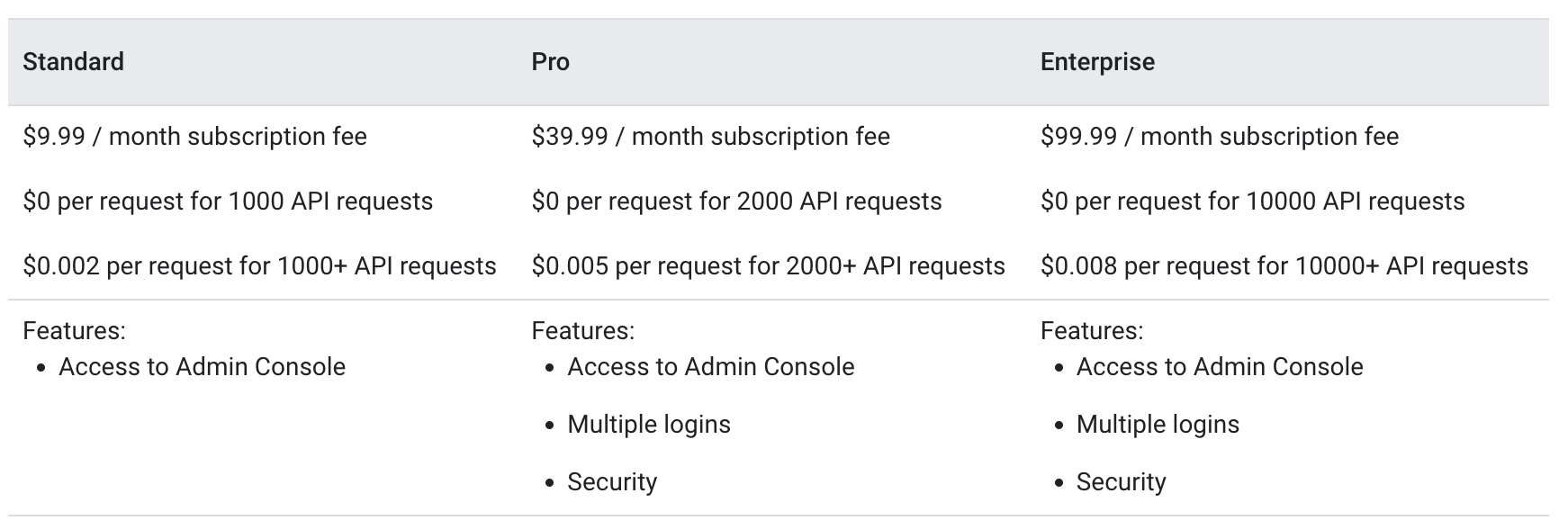
Choose pricing before implementing metering. Google’s SaaS pricing guide distinguishes these options:
| Model | What the buyer pays | What your integration needs |
|---|---|---|
| Free | Google Cloud resource charges, without a software charge | Account and access handling |
| Subscription | A recurring software fee; partial months are prorated | Subscription and entitlement handling |
| Usage-based | Charges for metrics you define, such as data or storage | Usage measurement and reporting |
| Combined | A base subscription plus usage charges | Both subscription handling and metering |
Define the metric, unit and account it belongs to before writing the reporting code. A usage record with the right quantity attached to the wrong customer is still a billing defect.
3. Configure the Google Cloud project and service account
Set up the project and service account used for the integration, then enable the Cloud Commerce Partner Procurement API and the other APIs your pricing model needs. Use the API client libraries for your implementation language where appropriate.
Separate API access from application logic: credentials let your service call the APIs, but your service still needs to associate marketplace accounts, entitlements and usage with its own customer records.
4. Implement purchasing, signup and usage reporting
The technical integration has a backend path and a buyer-facing path. Both must agree on which customer purchased which plan.
- Backend notifications: receive Cloud Marketplace events through Pub/Sub and handle the account and entitlement lifecycle through the Partner Procurement API.
- Usage reporting: for usage-based or combined pricing, measure consumption and report it through Service Control.
- Signup: provide a page for marketplace buyers to create or connect their account in your service.
- Purchase verification: Google’s frontend integration guide documents the JWT delivered to that page. Verify it before sending the account approval request to the Partner Procurement API.
- Sign-in: decide whether the optional single sign-on integration fits your service.
A purchase notification and a working signup page prove different things. Check that the notification updates the entitlement and that the browser journey connects the buyer to that same entitlement.
5. Test the listing before publishing
Use the staged product preview to check the listing, pricing and buyer journey. Follow Google’s SaaS testing procedure to test purchases and usage reporting before publication.
Record the test account, plan, entitlement and reported metric. Verify that the customer can access the purchased service and that cancellation changes access appropriately. A launch checklist should include both the marketplace-side result and the corresponding state in your application.
The trial-software section of Google’s pricing guide covers the remaining pricing decision below.
Frequently asked questions
Where do free trials fit into the pricing setup?
Check Google’s trial-software requirements for the pricing model you selected before offering a trial. A free trial is a separate pricing decision from listing a free product, whose buyers pay only for the Google Cloud resources they use.
How Fours handles the integration
Fours provides an API-first approach to marketplace listing and automated co-sell workflows. Its Google Cloud listing guide walks through the technical setup. Your team still owns the product architecture, pricing decisions, Google Cloud environment and application-side account mapping, and Google owns its review and approval. Using an integration platform does not make those prerequisites optional.
Keep reading
Stay Updated
New posts, product updates and marketplace strategy are shared on LinkedIn as they publish.
Follow Fours on LinkedIn